

An assistant conversation is separate from a project session. Use it to discuss priorities and coordinate work; open its session cards when you need to inspect execution or file changes.
Give the contact a useful brief
Open Settings → Assistants and create an assistant. Set its name, default prompt, provider/model and workspace, then save. The workspace can be managed for the assistant or selected from your projects. Changing it starts a new assistant conversation.
A brief such as “Help maintain the documentation in this project; ask before changing public commands” is more useful than a generic personality description. Name and model are required. The assistant feature must be supported and enabled on the connected host.
Follow the handoff
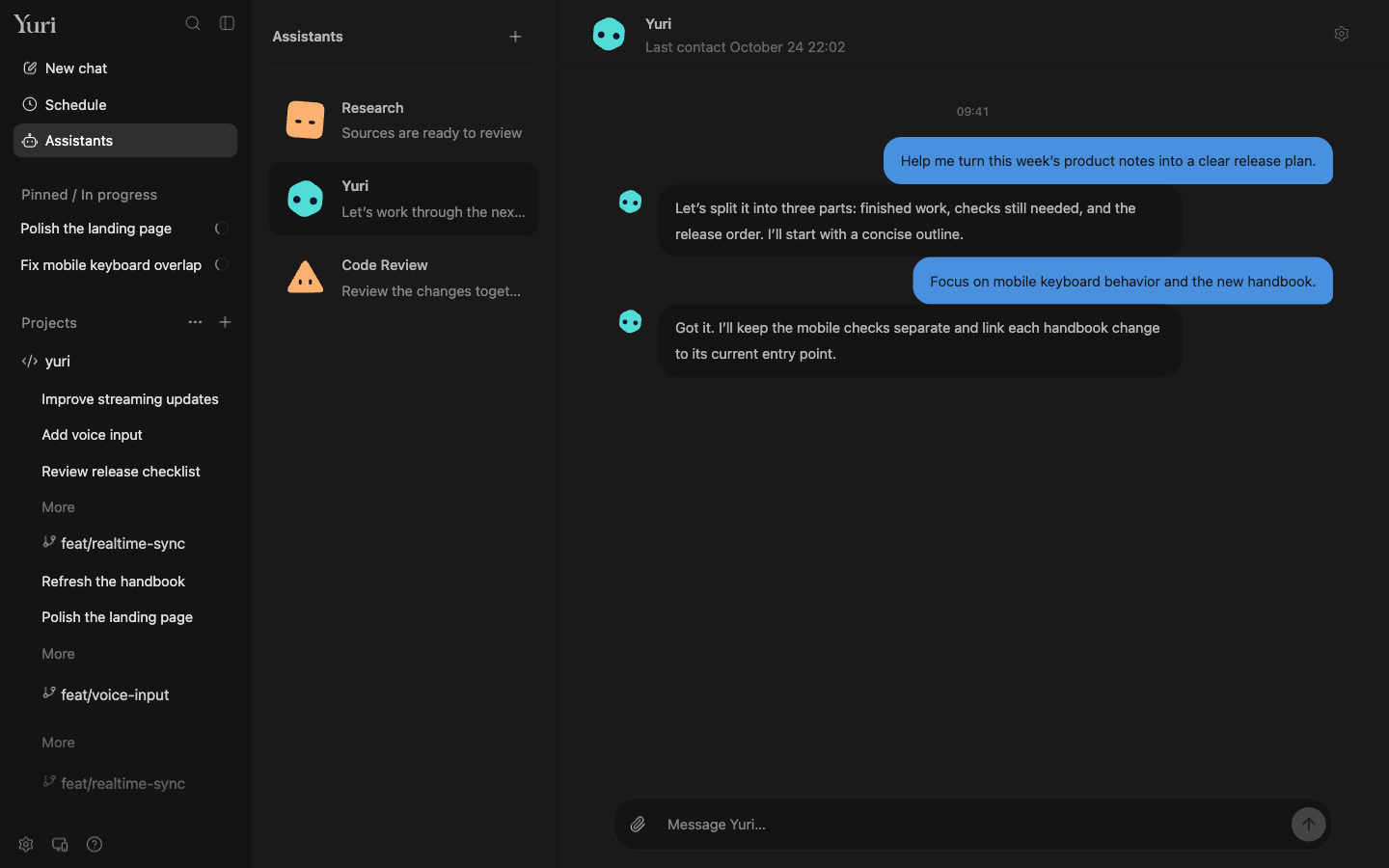
Open Assistants and select the contact. Send a request or attach supporting material. When it delegates work, open the returned session card to see the worker conversation. To refer to existing work, use @ in the contact composer and select a recent session, then explain what should happen next.
A schedule card opens the particular task for inspection. Check the time and prompt there rather than assuming a conversational acknowledgment means the schedule is correct.
Keep the right history
Reconnect to the same host from your phone to reach the same assistant. Asking for a new conversation resets the model's conversational context while leaving earlier bubbles visible. Asking to clear chat history removes earlier records; use the wording that matches your intention.